How to Get Your Bituach Leumi Unemployment Confirmation (אישור אבטלה)
Download the annual confirmation letter showing your unemployment benefit payments from Bituach Leumi, needed if you received unemployment income during a claim year.
Use the official Tax Authority personal zone to register, log in, download Form 106, or approve representation.
Log in to Bituach Leumi (ביטוח לאומי)What it is
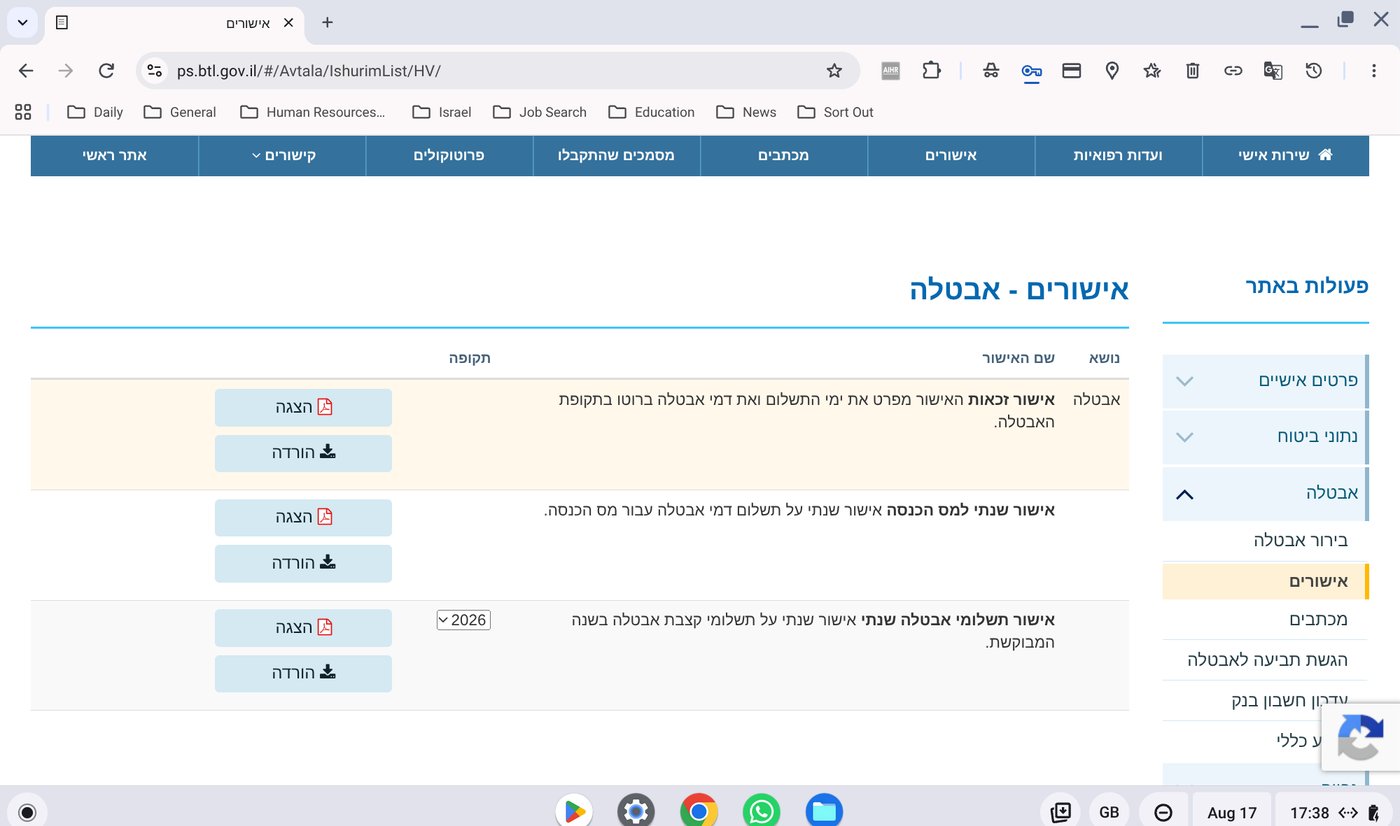
If you received unemployment benefits (דמי אבטלה) from Bituach Leumi (ביטוח לאומי, the National Insurance Institute) during a claim year, you will need the confirmation letter titled אישור שנתי למס הכנסה - תקבולי אבטלה, meaning Annual confirmation for Income Tax - unemployment payments.
This letter shows the total unemployment benefits you were paid for the year, which your CPA needs alongside your Form 106 to complete an accurate refund claim.
Why we need it
Unemployment payments are reportable income. Your CPA needs the official annual figure from Bituach Leumi to make sure your refund claim reflects your full income picture for the year, including any period you were not earning a salary.
Steps
The confirmation letter is available in your Bituach Leumi personal account (אזור אישי):
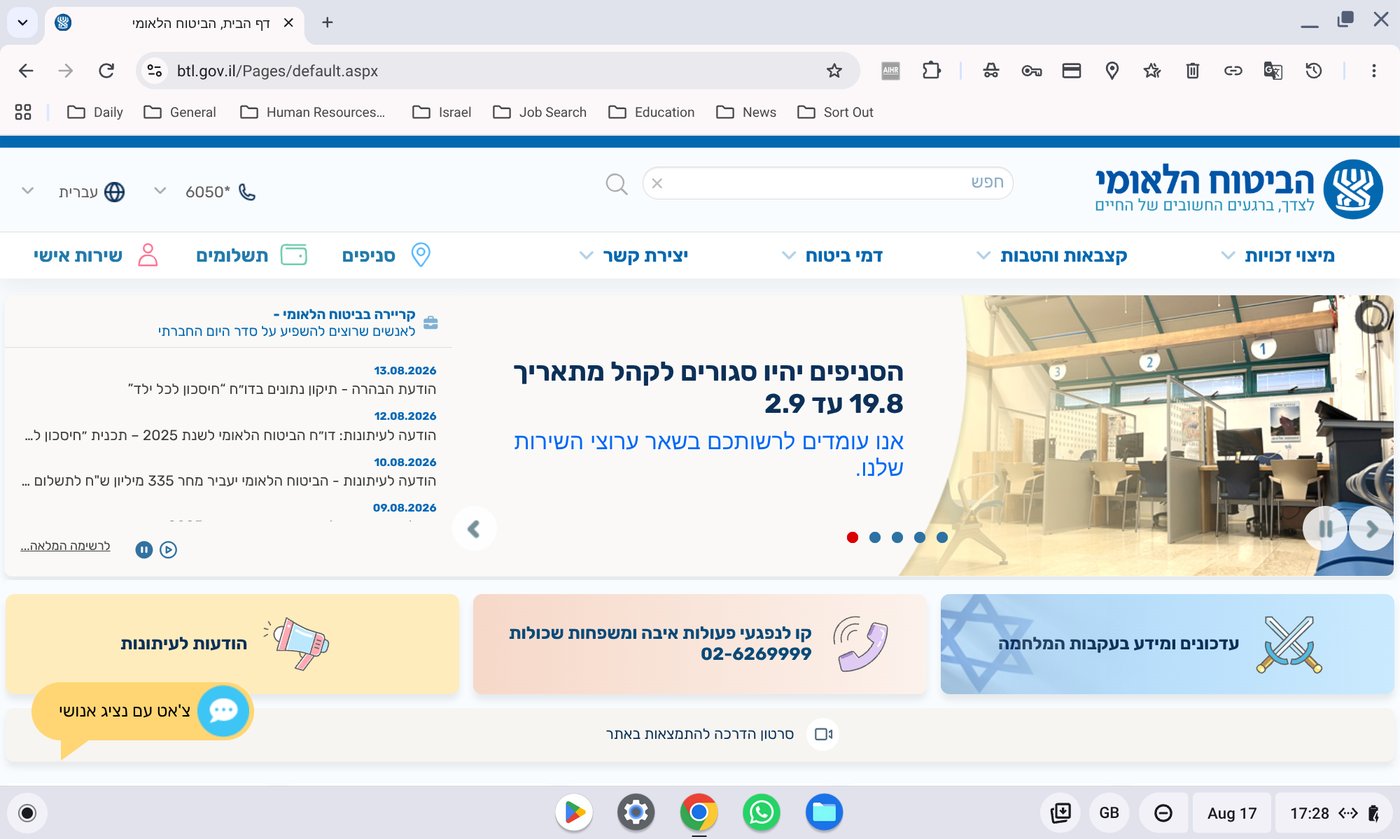
- 01Go to the Bituach Leumi website (btl.gov.il) and log in using the small red person icon in the top-left corner.
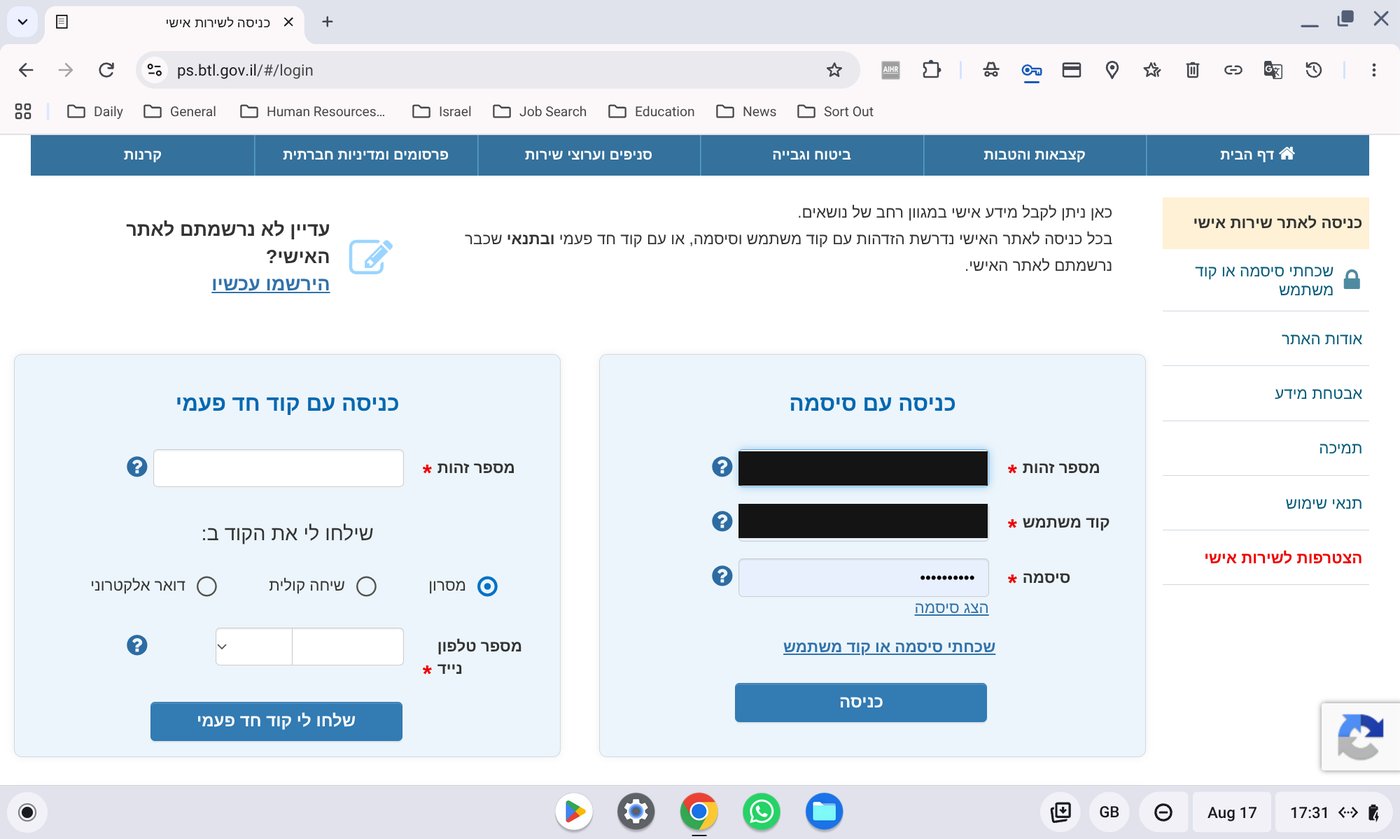
- 02Choose כניסה עם סיסמה (login with password) and enter your Teudat Zehut number, your קוד משתמש (user code), and your password.
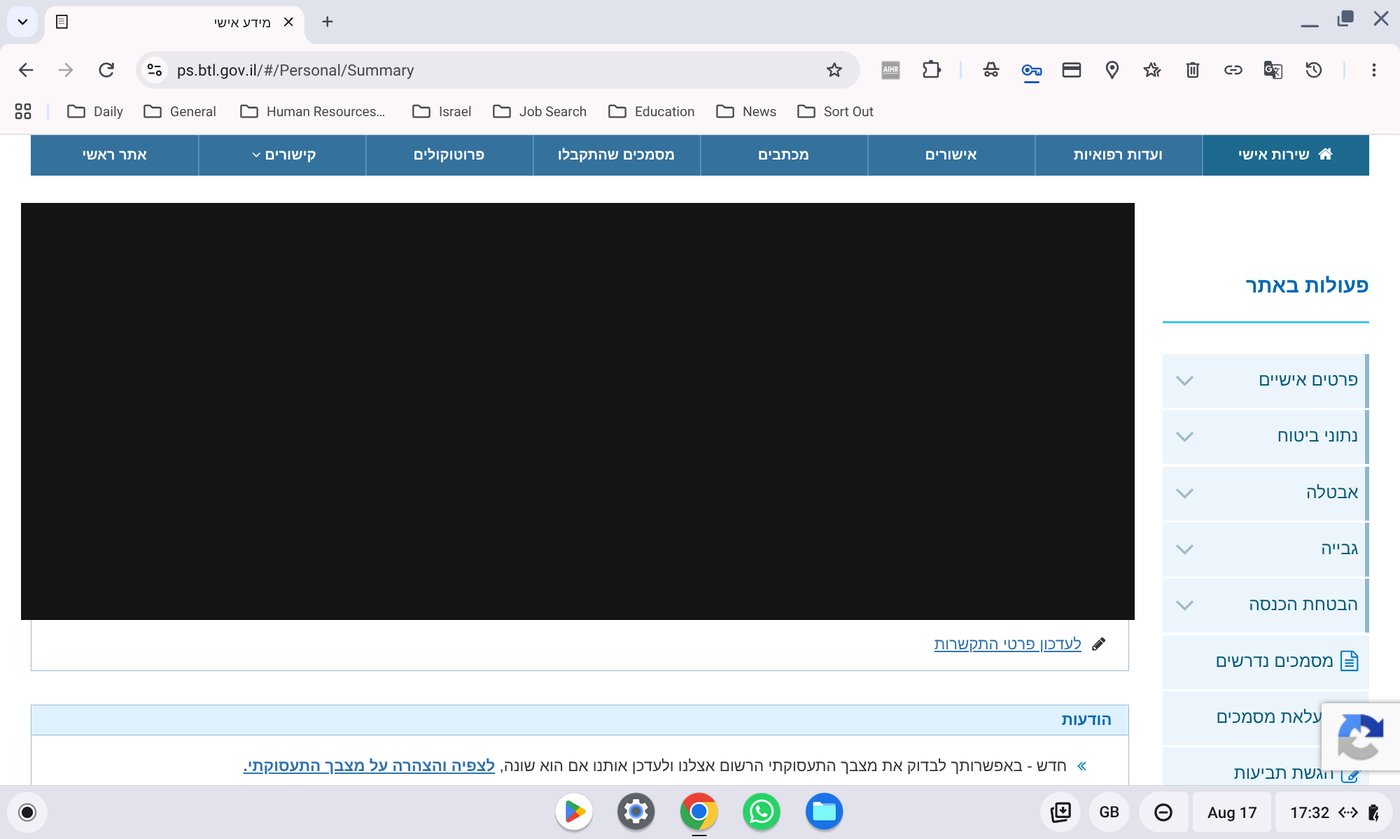
- 03Once logged in, you will land on your personal details page with a menu on the right-hand side.
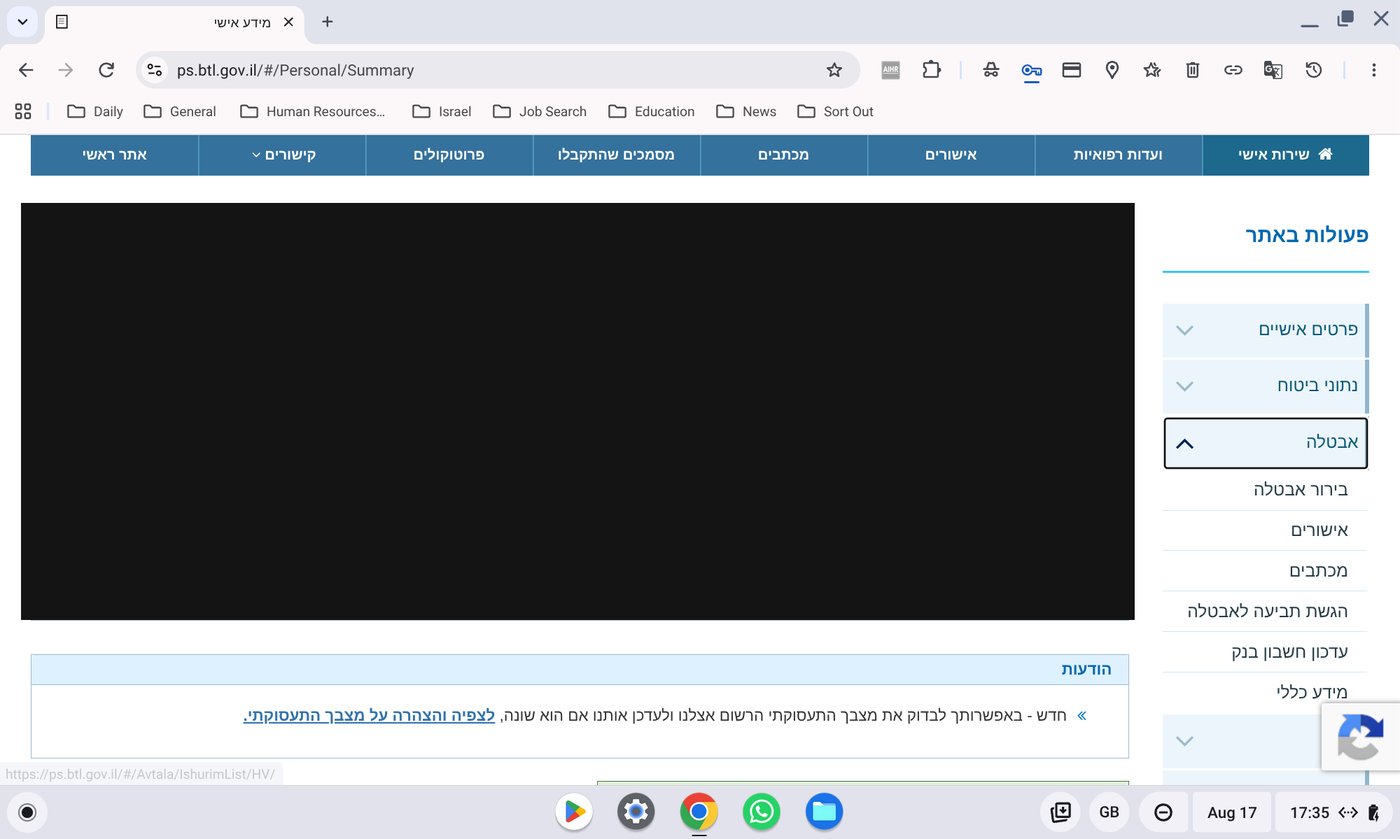
- 04In that menu, select אבטלה (Unemployment).
- 05Choose the second option, אישורים (Confirmations).
- 06In the list of letters, find אישור שנתי למס הכנסה - תקבולי אבטלה (Annual confirmation for Income Tax - unemployment payments).
- 07Use the top button (הצגה) to view it as a PDF, or the second button (הורדה) to download it.
Common problems
- No confirmation letter listed? Make sure you select the correct claim year, and confirm benefits were actually paid that year.
- Can't log in? Bituach Leumi is a separate account from the Tax Authority (Mas Hachnasa). If you never registered on the Bituach Leumi site, use הירשמו עכשיו (Register now) on the login page.
- Only need the PDF, not the download? The הצגה (view) button opens it directly without saving a file.
What to do next
- Upload the confirmation letter for each year you received unemployment benefits, together with your Form 106s for those claim years.
- Pair it with your entry and exit records if the unemployment period also overlaps time spent outside Israel.